
This article is simplified for beginners. Complete information about the Hosting WP service, including solutions to common problems, can be found in the Hosting WP category.
How do you want to get started with the new website?
Domain with a trial WordPress
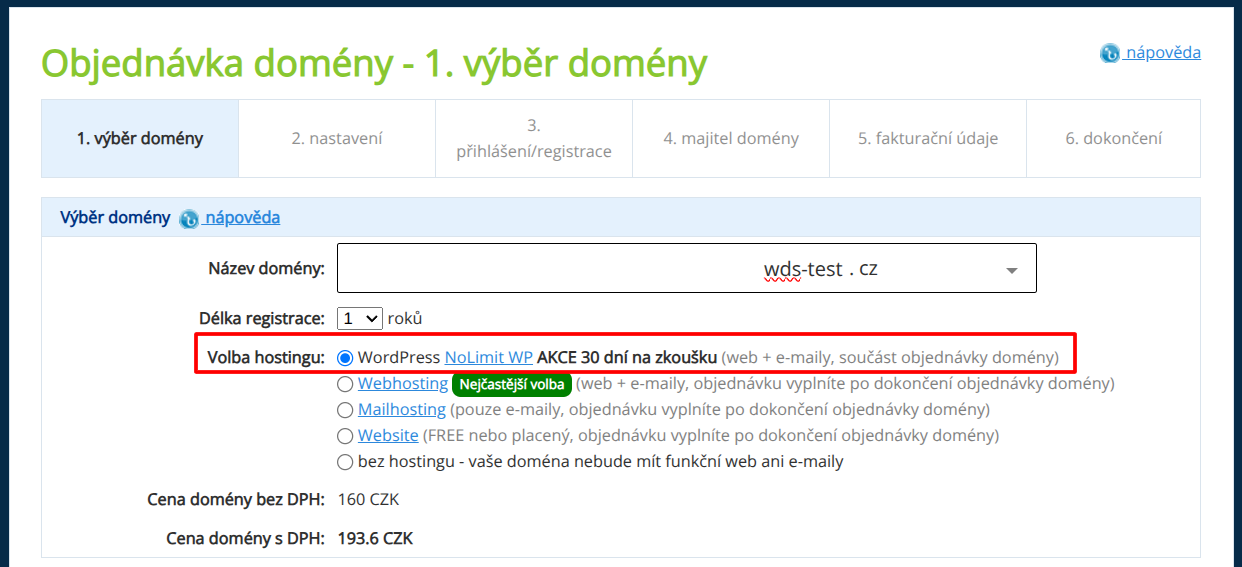
Fill in the following details in the order form in particular:
- Domain name: Enter a domain that has not yet been registered, with any extension.
- Hosting selection: WordPress NoLimit WP PROMOTION 30-day trial (web + emails, part of the domain order)
Check the consent boxes.
Click the Continue with order button.
Go through the remaining order steps:
- Settings: Do not change anything, just check the consent boxes.
- Login/registration: Log in or register to the WEDOS customer account. If you are already logged in, the order will skip this step.
- Domain owner: Enter complete and truthful information about the owner of the newly created domain.
- Billing details: Enter the details for issuing and sending billing documents. Check the consent boxes.
If you provide invalid or untrue information, the domain registry or WEDOS as the hosting provider may suspend or cancel the service without compensation.
On the last page, review the entered details and click the Complete order button.
Pay for the order.
- Open the email with the subject Payment Request from WEDOS (
hosting@wedos.com) sent to the billing address. - Send the exact amount (including cents) under the matching variable symbol to the stated account number, or use the online payment link in the form
client.wedos.com/f/..., where … is a unique identification code.

Done! 🎉
After the payment is successfully received and processed, the system will set up the domain and NoLimit WP hosting within 1 hour.
Instructions for using WordPress will be sent to you by email.
Card payments are usually processed within a few minutes, online payments within an hour. A standard bank transfer (including payment by QR code) may take 1-2 business days.
Full version of WordPress
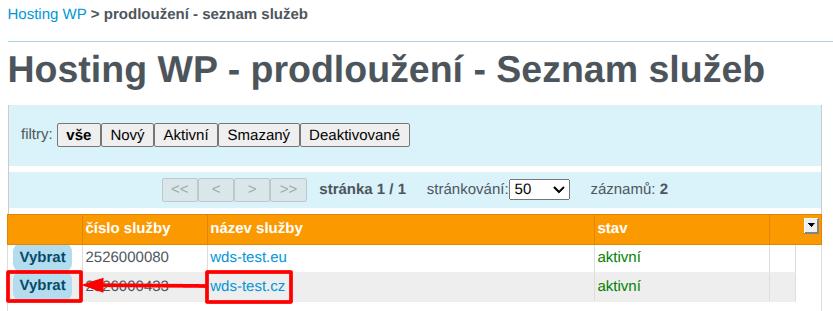
Log in to the customer administration and visit the Hosting WP service renewal hub ⧉.
From the list, select the Hosting WP service you want to convert to the full version.
Fill in the form Transition from the TRIAL version of the service to the full version.
After filling in the billing details, check the consent boxes and click the Order service button.
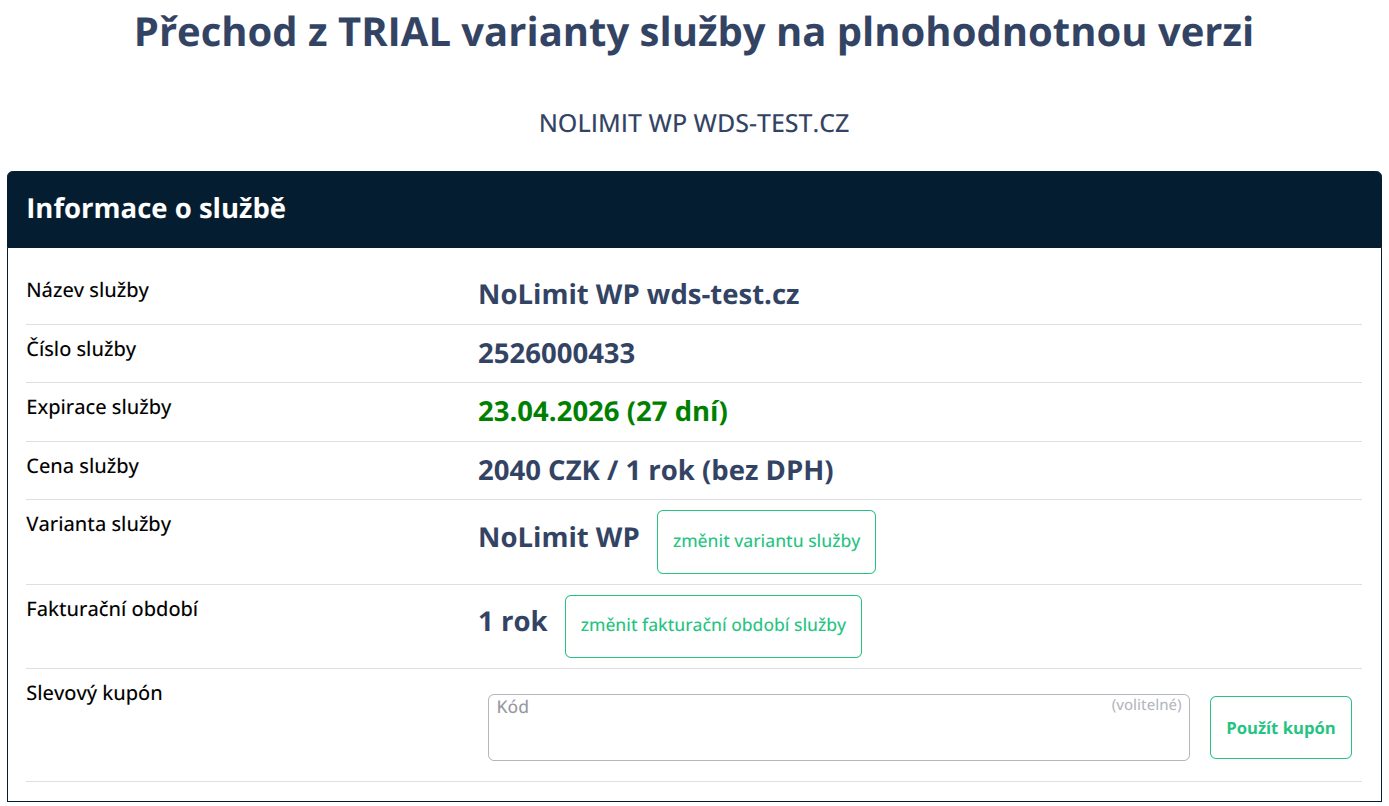
If you have a coupon for setting up a new Hosting WP service with a discount, enter it in the Discount coupon field and click the Apply coupon button.
Done! 🎉
The system will immediately issue and send an invoice for the new service period starting on the expiration date of the trial period. So you will not lose the free period!