
In this article you will learn:
- How Hosting WP service backup works
- How to restore files and the database from a backup
- Frequently asked questions
Hosting WP service backup
We automatically back up both files and databases of the Hosting WP service, both locally to another disk and to another server in a different rack. The frequency of automatic backups is determined by the plan:
- Business: 1/day
- NoLimit: 1/week
- LowCost: 1/month
These automatic backups are intended primarily for internal purposes, but in the event of a website failure due to a problematic update, you can request a restore.
Manual backups
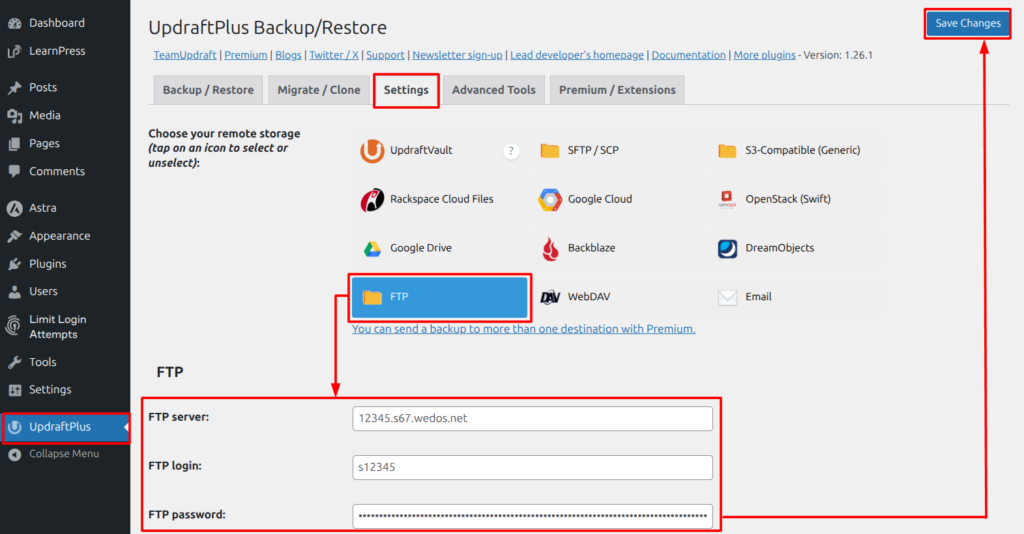
At present, Hosting WP can only be backed up manually using a WordPress plugin.
Do not store backups made by the plugin on the web server! Back them up to your own device (computer, external drive), or use an archiving service, for example VEDOS Disk ⧉.
Restore from backup
Backup restores are currently handled by support. Request it using this procedure:
- Open the contact form ⧉.
- If you are not logged in to the form, log in to the account that contains the service whose backup you want to restore.
- Fill in the backup restore request.
In the message text, include:
- the name (domain) or service number;
- the most accurate possible date and time when the website was damaged. In the reply to the e-mail from the form, the technician will tell you from what date and time the backup is available.
Restore from a Hosting WP backup is free of charge. The usual response time is within 1 business day.
Frequently asked questions
How can I restore the website from a backup immediately?
We are working on backup restore by button in the customer administration. Until it becomes available, the fastest way to request a backup is the procedure described in the Restore from backup section.
I have a manual backup via a plugin, but the website is so broken that I cannot get to the plugin. What should I do?
If the manual backup is on another storage location, for example on your computer or on the Disk ⧉ service, you can reset the Hosting WP service, install the same backup plugin and perform the restore.