
In this article you will learn:
- What the Webhosting service offers
- What the alternatives to the Webhosting service are
- How to set up Webhosting
- Glossary of terms
Webhosting
Webhosting is a service intended for slightly advanced users who want to create a website on the web using their own code or a content management system (e.g. WordPress).
We offer Webhosting in 3 different plans:
- NoLimit ⧉: The NoLimit variant is our basic web hosting designed for modern web applications and content management systems. It offers high performance and unlimited storage for website files.
- NoLimit Extra ⧉: This variant is intended for demanding users. You get high performance and additional space for databases and emails. We also back up your data daily, and any restoration is free of charge.
- LowCost ⧉: The LowCost plan is intended for experienced users who know how to optimize their websites well and want to minimize website operating costs. It has limited performance, 1 GB of database space, and other restrictions.
The basic NoLimit plan includes these basic services:
- Application Installer: You can install popular content management systems and applications (e.g. WordPress) easily and quickly using the automatic installer.
- HTTPS: You can secure the connection to each website with encryption.
- FTP(S): If you want to upload your own data to the web hosting, you connect via the encrypted version of this protocol.
- Email: With each Webhosting you get an unlimited number of email mailboxes.
- Automatic DNS configuration: If the domain for which you are setting up Webhosting uses our DNS servers, you can have it automatically pointed to Webhosting.
Advanced users will appreciate:
- Up to 3 domain aliases free of charge
- CRON for periodic calling of a PHP script
- Unlimited number of MariaDB databases
- Internal address for testing the web hosting before production
- Configuration of PHP and selected parameters
Additional options can then be obtained through add-on services. More information can be found in the article Webhosting – Add-on services.
Alternatives to the Webhosting service
If Webhosting does not offer what you are looking for, we also offer a wide selection of alternatives:
- WebSite 1.0 ⧉: Do you want to quickly and easily create your own modern web presentation? That is the purpose of the Website service: choose one of dozens of templates and hundreds of blocks. Then use the simple graphical user interface to customize everything to your liking. You can try the service in the free version, and switch to the paid version as needed.
- WMS (Webhosting Managed Server) ⧉: This service is essentially a virtual server with Webhosting administration and the option to configure system resources yourself. It can be used, for example, to host very demanding applications or a larger number of separate web hostings.
- VPS (Virtual Private Server) ⧉ or Dedicated server ⧉: If you want to set up hosting exactly as you wish, including the operating system used, you can choose one of the VPS variants or a dedicated server. We recommend servers primarily to advanced users.
- Mailhosting ⧉: If you host a website with another provider, or do not have one at all, but want to have email services with us, use our new Mailhosting service.
Setting up Webhosting
Set up a new website on Webhosting using the following steps:
- Order the Webhosting ⧉ service. Detailed instructions can be found in the article Webhosting – New service order.
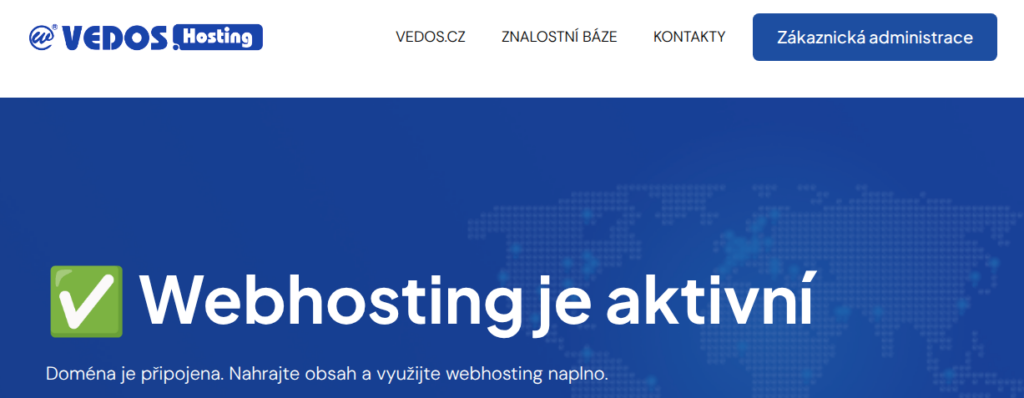
- Wait for the service to be provisioned (usually within 1 hour of payment being received).
- If you do not have all services with VEDOS, make sure that you have A or AAAA records and MX set up correctly in DNS.
- Install the application you want to run on the website, or upload the website files via FTP. FTP login details can be found in the service provision email.
- Enable encrypted HTTPS connection and set it up on your website.
If you are switching to us from a competitor, you can request a bonus period of up to two years ⧉ when ordering. You can then move the website for free using automatic data migration and email migration.
To set up emails, follow the email manual, or go directly by the guide Emails – Mailbox management.
Glossary of terms
- Application: Software with a specific purpose, on the web for example a forum, gallery, or content management system.
- Database: A part of web hosting containing tables with data managed by a web application.
- DNS: Records directing the domain to web hosting, among other things.
- FTP: File Transfer Protocol. A protocol used for uploading files to web hosting.
- FTP client: A program that uploads files to your web hosting via the FTP protocol. There are online versions (WebFTP ⧉) and desktop versions (we recommend FileZilla, for example).
- HTTP/HTTPS: Protocols for connecting to a website. HTTPS is the secure version of this protocol, a standard especially for websites processing personal data.
- Let’s Encrypt: A certificate that enables connection via the encrypted HTTPS protocol.
- MariaDB: A database system, successor to MySQL.
- PHP: A popular programming language for developing websites and content management systems.
- phpMyAdmin: An administration interface for managing database tables available at the address https://pma.wedos.net ⧉.
- Content management system: Also sometimes CMS (Content Management System). An application specialized in website creation, for example WordPress.
- WebFTP: Our online FTP client. Open it directly in your browser at https://webftp.wedos.net ⧉.
- Webhosting: A service specialized in providing websites.
- WordPress: One of the most popular content management systems that makes it easy to create personal websites and e-shops.